How Pixel Watch decides to call for help
The feature combines oxygen, motion and altitude signals, waits for a response, then tries to call. It is available in 14 European countries.
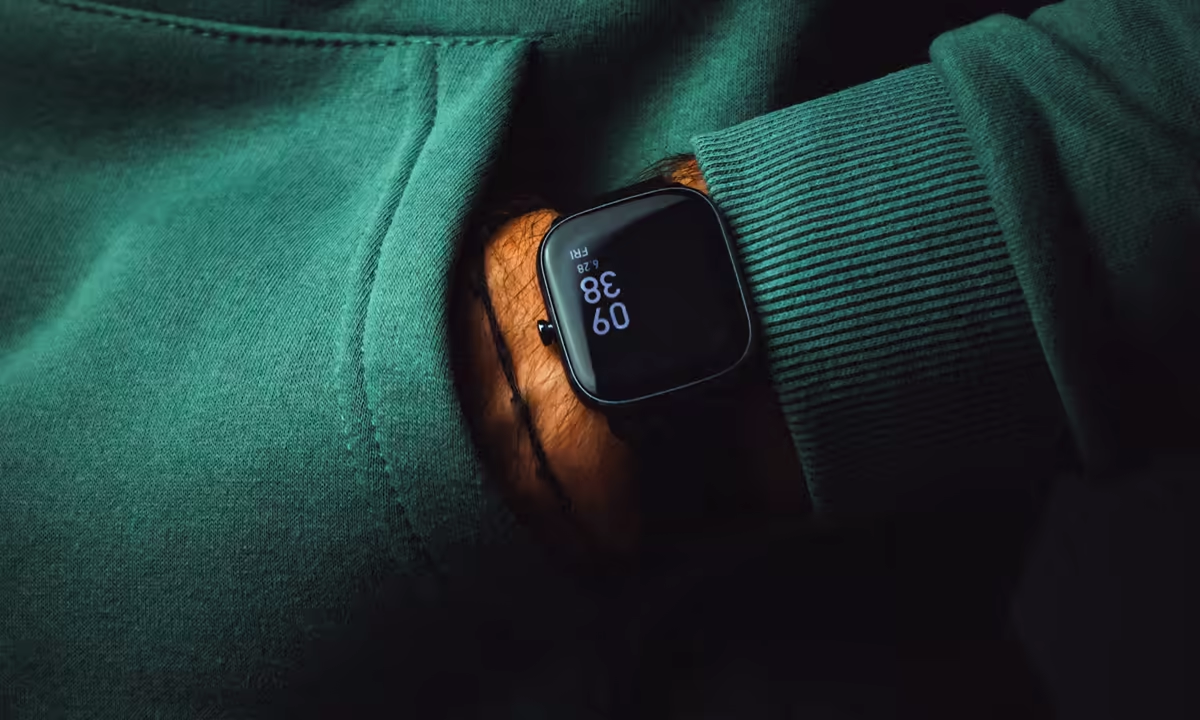
Breathing Emergency Detection is now available on Pixel Watch 4 and 5 in 14 European countries. The opt-in feature looks for a sudden, severe, and persistent drop in oxygen saturation alongside low movement. If its wearer does not respond to a sequence of alerts, the watch can initiate an emergency call.²
Google introduced the feature with Pixel Watch 5 on August 12, while its current Health Help page lists Pixel Watch 4 and newer as compatible.² ³ The product carries a CE mark and has not been cleared or evaluated by the US Food and Drug Administration. Neither the United States nor Brazil appears on the availability list.¹ ² ³
The watch infers an oxygen emergency from pulse, motion, and altitude signals. It does not directly measure air moving through the lungs or identify why oxygen saturation has fallen. Two cancellation stages sit between that inference and a call, limiting the consequences of a poor sensor reading without guaranteeing detection of every emergency.
Low oxygen alone does not trigger the call
The optical PPG sensor on the back of the watch provides the signal used to estimate SpO2. An accelerometer adds motion data, and the barometer checks altitude. Google says the algorithm looks for a severe, persistent oxygen decline while confirming that the wearer is moving little and has not changed altitude rapidly.¹ ³
That combination filters out some isolated low readings. Daily motion, ambient light, pressure against the skin, and blood flow at the wrist can interfere with the optical signal. Google also names BMI and wrist tattoos among the factors that may affect performance.² A poor reading can still produce a check-in.
The algorithm deliberately stops watching in some contexts. Once the wearer has been asleep for more than 30 minutes, breathing-emergency detection is unavailable, a restriction intended to reduce sleep-apnea alerts. It is also not designed for events at elevations around 2,500 meters, or 8,200 feet, and higher.² These exclusions reduce patterns that may resemble an emergency to the sensors, leaving defined periods in which the feature will not intervene.
Google says it tested the algorithm with volunteers in clinical laboratories under medical supervision and against hundreds of thousands of hours of real-world data.¹ The announcement and Help page provide no sensitivity, specificity, or false-alarm rate. The published evidence therefore cannot support an accuracy comparison with a medical monitor or an estimate of how many emergencies the watch might miss.
Two alerts come before the emergency call
When the watch detects the target pattern, it vibrates and displays a full-screen check-in for about 30 seconds. Movement automatically dismisses this first stage. The wearer can also tap to dismiss it.²
No response starts a second countdown lasting roughly 30 seconds, accompanied by continued vibration and a loud audible alert. Wrist movement no longer cancels the sequence at this point; the wearer has to tap the X on screen.² This design keeps an involuntary movement from ending the process after the system has escalated its assessment.
At the end of the countdown, the watch prompts a call through its connected phone or its own LTE connection. If the call connects, an automated message tells the dispatcher that an oxygen emergency was detected, says the wearer did not respond, and provides the location. Emergency contacts can receive a message and location when they have been configured.²
The connected call is a standard phone call, so the wearer can stop the automated message and talk through the watch. Google cautions that the phone or watch must have power and adequate cellular connectivity. A call may fail to connect, and emergency services may not respond.¹ ²
Wi-Fi and LTE models depend on different links
A Wi-Fi Pixel Watch must remain within range of its paired phone and connected over Bluetooth for the phone to place the emergency call. Without that Bluetooth link, the wearer cannot speak to emergency services through the watch.²
An LTE model needs an active mobile connection on the watch. Some regions also require an active carrier plan or Google's Safety Signal service.² Automatic calling therefore depends on device setup and network coverage even after the sensor logic and alert sequence work as designed.
Repeated false alerts turn the feature off
Google has set a specific threshold for alerts that the wearer later identifies as unnecessary. Two false emergency calls or three days with false haptic notifications in a rolling 30-day period cause Breathing Emergency Detection to switch itself off and request feedback.²
If the wearer says help was needed, the feature turns back on automatically. A response that help was not needed leaves it disabled, with the option to enable it manually. More non-emergency alerts can trigger another shutdown.² The threshold limits unnecessary calls to dispatch centers and triggers a feedback request after repeated non-emergency alerts.
The intended-user list has clinical boundaries
Google limits the feature to adults and excludes pregnant users. It is not intended for people whose oxygen saturation is chronically below 93%, or for those with sickle cell disease, COPD, or heart failure. Reduced blood flow at the wrist and a tattoo that interferes with the sensor are additional exclusions.²
Breathing Emergency Detection is not an apnea monitor, a carbon-monoxide detector, or equipment for hospital and ambulance use. Google says it cannot replace prescribed real-time oxygen monitoring, determine the cause of an event, diagnose a condition, or provide treatment.² A notification means that the algorithm found its configured pattern.
Feature data also reaches Google servers
In its Pixel Watch 5 announcement, Google describes the feature's AI as running on the watch. The Help Center separately says its operation also involves storage on company servers. The list includes usage information and, when an emergency is detected, sensor data related to oxygen, movement, and altitude. Location and emergency-contact information are collected if an emergency call is placed.² ³
The company says it will not sell this data or use it for advertising. A wearer can ask support to see collected information, but disabling the feature does not automatically erase it. The Help Center's published route for deletion is deleting the Google Account.²
The feature is available in 14 countries
Current availability covers Austria, Belgium, Denmark, France, Germany, Ireland, Italy, the Netherlands, Norway, Portugal, Spain, Sweden, Switzerland, and the United Kingdom.² Google's launch post named ten countries as examples; the updated Help page provides the current list.¹
Travel to an unsupported region temporarily suspends detection and emergency calling. The feature resumes after the watch returns to a supported region.²
Sources
- How your Pixel Watch steps in if you stop breathing · Google · https://blog.google/products-and-platforms/devices/pixel/pixel-watch-breathing-emergency-detection/ · Aug. 12, 2026
- What is Breathing Emergency Detection on my Google Pixel Watch? · Google Health Help Center · https://support.google.com/googlehealth/answer/17324948?hl=en · accessed Aug. 26, 2026
Show 1 more sourcesHide sources
- Pixel Watch 5: Proactive assistance and advanced health tracking on your wrist · Google · https://blog.google/products-and-platforms/devices/pixel/pixel-watch-5/ · Aug. 12, 2026
— Newsroom